
Conversion Tracking in Google Ads: What It Is and How It Works
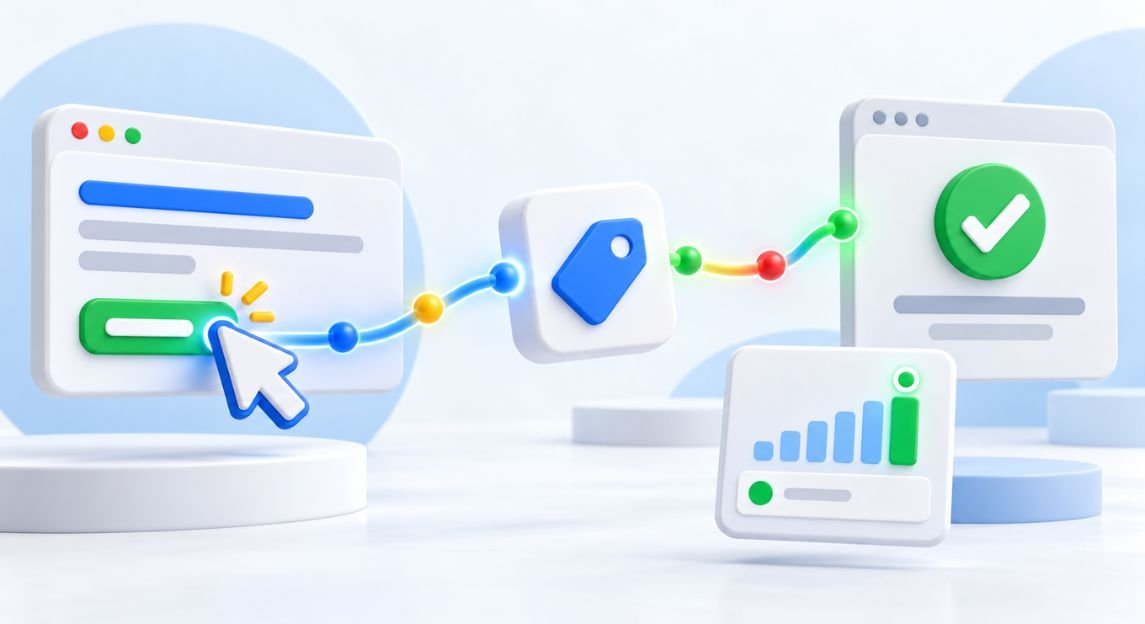
Running Google Ads can bring visitors to your website, but clicks alone do not tell you whether your campaigns are working. Conversion tracking in Google Ads shows what people do after clicking your ad, such as buying, submitting a form, calling you or booking an appointment.
In this guide, you will learn what it is, how it works, how to set it up and which mistakes to avoid.
Not Getting Enough Leads from Your Website?
What Is Conversion Tracking?
Conversion tracking is a system that records specific actions taken by users after interacting with an advertisement. Instead of only measuring how many people clicked an ad, advertisers can see what happened after the click.
For example, imagine a business receives 500 ad clicks in one month. Those clicks may look positive, but they do not show how many people contacted the business or purchased something. If 30 visitors completed a desired action, the business has a clearer picture of campaign results.
Conversion tracking in Google Ads connects advertising activity with actions that matter to the business.
Why Is Conversion Tracking Important?
Conversion tracking turns Google Ads from a click-counting tool into a performance tool. You can see exactly which campaigns, keywords and ads bring leads and sales.
It can help advertisers understand:
- Which campaigns generate valuable actions
- Which keywords bring relevant visitors
- Which advertisements perform well
- How many leads or sales come from advertising
- How much advertising spend produces results
- Which campaigns may need improvement
Without conversion data, you may keep spending on keywords that get clicks but never bring a single lead.
How Does Conversion Tracking Work?
The process starts by choosing an action that you want to measure. This could be submitting a contact form, making a purchase, calling a business, or completing another important action.
A conversion action is then created in the Google Ads account. Depending on the conversion type, a tracking tag, website code, imported data, or another supported measurement method may be used.
When someone clicks your ad and later completes the action within the conversion window (30 days by default for most website conversions), Google Ads records it and credits the ad based on your attribution model.
This information can then be reviewed inside the advertising account.
What Can You Track as a Conversion?
Businesses can track different actions depending on their goals. Common examples include:
- Online purchases
- Contact form submissions
- Phone calls
- Appointment bookings
- Quote requests
- Newsletter sign-ups
- App installations
- Important page interactions
For an online store, purchases may be the main conversion. For a service business, phone calls and enquiry forms may be more useful.
The right conversion goals depend on what the business wants its advertising campaigns to achieve.
Types of Google Ads Conversions
There are several conversion categories that advertisers may use. These can include website conversions, phone call conversions, app conversions, and imported conversions.
Website conversions can measure actions completed on a website. Phone conversions can help businesses understand calls generated through advertising. App conversions can measure actions within mobile applications.
Businesses can also use imported conversion information from other systems where supported. Selecting appropriate conversion actions helps make campaign reports more meaningful.
How Conversion Tracking Helps Improve Campaigns
Conversion information can help advertisers make better campaign decisions. When you know which campaigns generate useful actions, you can examine their keywords, advertisements, audiences, landing pages, and spending.
Google Ads conversion tracking can also provide information that automated bidding strategies use when optimisation toward conversions is selected.
For example, if one campaign generates many relevant leads while another receives clicks without producing meaningful actions, the conversion data provides a stronger basis for reviewing campaign performance.
However, tracking should be configured correctly. Incorrect or duplicate conversion measurements can make campaign reports misleading.
Conversion Rate in Google Ads
Conversion rate shows the percentage of interactions that resulted in conversions. For example, if 100 people click an ad and 5 complete the selected action, the conversion rate is 5%.
There is no single conversion rate that is considered good for every business. Results can vary based on the industry, offer, competition, landing page, audience, device, location, and conversion type.
Instead of focusing only on an industry benchmark, businesses should compare results over time and consider whether the conversions are valuable.
Want to learn more about Google Ads performance? Read our other blog on CTR in Ads to understand clicks and engagement.
Clicks vs Conversions
A click means someone interacted with an advertisement and visited or interacted with the destination associated with it. A conversion means that person completed a defined action that the advertiser has chosen to measure.
For example, 1,000 clicks may produce only 20 enquiries. In this case, the number of clicks does not tell the full story.
Conversion tracking in Google Ads helps connect advertising interactions with actual business outcomes.
Common Conversion Tracking Problems
Incorrect tracking can affect campaign reports and decision-making. Common problems include:
- Tracking the same action more than once
- Forgetting to track important actions
- Incorrect tracking code installation
- Counting low-value actions as primary conversions
- Not testing forms and tracking tags
- Using unsuitable conversion settings
- Failing to review conversion data regularly
Testing your setup after implementation can help identify problems before you rely heavily on the data.
Need Help Setting Up Conversion Tracking? Talk to Digi Milestone
Effective paid advertising works best when it is supported by accurate measurement and a strong digital strategy. Digi Milestone provides SEO and PPC services designed to help businesses improve online visibility, attract relevant visitors, and measure marketing performance.
Our SEO services can support keyword research, on-page optimisation, technical SEO, content strategy, and website improvements. Our PPC services can help businesses plan, manage, monitor, and optimise paid advertising campaigns.
By combining organic search strategies with paid advertising and reliable conversion measurement, businesses can gain a clearer understanding of where their digital marketing efforts are producing results.
Not sure which campaigns are bringing real enquiries? Digi Milestone’s PPC team can audit your conversion tracking, fix errors and show you where your ad budget is working. Contact us
Grow Your Business Online
Frequently Asked Questions
What is conversion tracking in Google Ads?
A 301 redirect in SEO is a permanent redirect that sends users and search engines from an old URL to a new URL. It is commonly used when a page or website address has permanently changed.
Why is conversion tracking important in Google Ads?
It helps search engines understand that a URL has permanently moved and can help preserve relevant signals from the old URL when the destination is appropriate.
What can you track as a conversion in Google Ads?
You can measure actions such as purchases, calls, form submissions, bookings, sign-ups, app installations, and other selected business goals.
How does Google Ads conversion tracking work?
A conversion action is configured in the advertising account. When a user completes the selected action, Google Ads records the conversion using the appropriate tracking method.
What are the different types of Google Ads conversions?
Common categories include website conversions, phone call conversions, app conversions, and imported conversions.
How does conversion tracking help improve ad performance?
It provides information about which campaigns, keywords, and advertisements generate valuable actions. This data can support campaign optimisation and budget decisions.
Does conversion tracking affect Google Ads campaigns?
The tracking itself does not make an advertisement more relevant. However, reliable conversion data can support automated bidding and campaign optimisation when appropriate settings are used.
What is a good conversion rate in Google Ads?
There is no universal good conversion rate. A useful benchmark depends on the business, industry, campaign goal, audience, offer, and conversion type.
How can you check conversions in Google Ads?
Conversions can be reviewed through the Google Ads reporting interface. You can examine conversion counts, conversion rates, costs, and other available metrics.
What is the difference between clicks and conversions in Google Ads?
A click shows that someone interacted with an advertisement. A conversion shows that the person completed a specific action defined as valuable by the advertiser.
Start the CONVERSATION
Every meaningful project begins with a simple conversation — let’s start yours.